My Node.js API Adventure
I saw a tweet about a hackathon on my timeline and thought, “Hmm, I should register for this,” and so I did. The hackathon required building an application using Wix Studio, a no-code platform that I had never used before—same with Node.js and CockroachDB. This was also my first time actually building my own API from scratch, despite my claims of being a ‘Backend’ engineer. Don’t get me wrong, I have interacted with many APIs, whether debugging or refactoring the logic, but I had never actually written one with endpoints. For a long time, I was fixated on learning C#, which I mostly used to build console applications.
I had always wanted to build a website, an app, or an API—just something that could monitor the status of websites for me, given all the trauma from my school’s portal where we had to select halls. So, I asked ChatGPT to help me write a short description of the project, and I named it ‘No Dulling.’
Little did I know what I was getting into. I set up a Wix Studio account and looked for a suitable template. Given that it was my first time using the tool, I did a lot of awkward figuring things out because I was too lazy to watch a tutorial. I designed the frontend, and then came the backend.
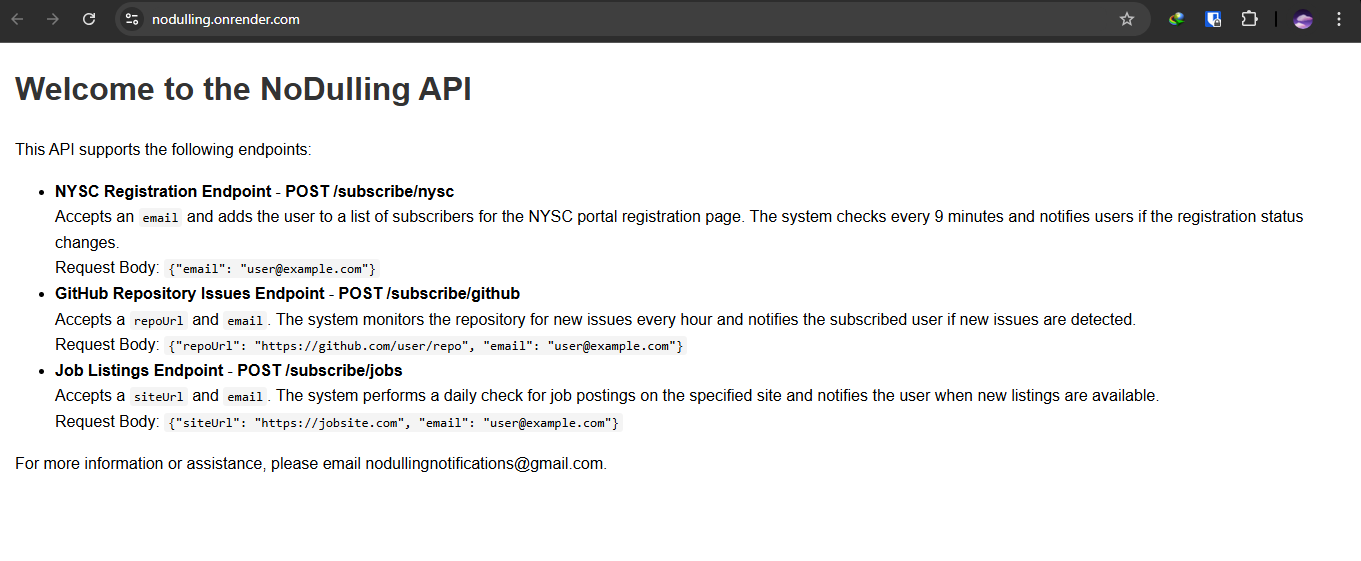
At first, I wanted to use Python, but the hackathon requirements stated that I had to use at least one page of JavaScript, so I opted for Node.js instead. I created a repo for it on GitHub and then defined the requirements. There would be three endpoints: one for checking the status of NYSC registration, another for monitoring whether new jobs were added to a company job site, and one for tracking new issues added to a GitHub repo. These seemed simple enough, as they did not require logging in to view the status checks.
Then came the actual API development. I needed to choose a database and DBMS. While I have experience running databases locally, hosted ones are a whole different ballgame. Most importantly, I was determined not to spend a dime on hosting because, well, I’m broke. I did some research and eventually settled on CockroachDB—funny name, I know. After reading some Reddit comments, I set up my account and got a 30-day free trial, which was fine since the hackathon would be judged before the trial expired.
I followed a tutorial on the site to set it up. I created a cluster and got my database connection URL. One mistake I made was blindly following the logic and incorporating the retryTxn function, which should retry the database operations if they fail. For some reason, that just overcomplicated things, and when I tried running node app.js, it didn’t work.
I created CRUD operations for the endpoints. For the NYSC check, I inspected the site to see if the "No active registration" text was displayed. When it changed to "Mobilization batch …," it would send a notification. I applied the same logic to GitHub, counting the number of open issues and sending a notification if new ones were added. For six specific job sites, I inspected the HTML to identify job postings and sent emails based on changes.
I initially had a problem with routing and had to change the port from 3000 to 8080. I saw an article about using Mailtrap, so I set up an account, but I didn’t realize you had to own a domain to send emails. I got stuck researching domain costs before snapping out of it. After searching for the best email service to use with Nodemailer on Reddit, I settled on SendGrid, but that also didn’t work. I ended up creating a new Gmail account, setting up an app password, and passing it as an environmental variable.
I then set up cron jobs to run the functions periodically: NYSC updates every 10 minutes, GitHub updates every hour, and job site updates every 24 hours. However, I ran into issues where they would try to access the database simultaneously, causing it to crash. I resolved this by adding flags to prevent jobs from running simultaneously and introducing random delays before execution.
The main problem: Hosting
I’ve hosted many sites on Netlify before, and when I built my C# portal project, I hosted it using a 30-day free trial on SmarterASP.NET. I assumed hosting a Node.js app would be easy since JavaScript is so commonplace, but I was wrong. I scoured Reddit for the best sites to deploy a Node.js app and got many options: Render, Fly.io, Vercel, Firebase, and so on. One thing I realized too late was that my application wasn’t serverless because the cron jobs were defined in app.js, meaning the site needed to run continuously. This was a problem because Render’s free tier puts the site to sleep after 15 minutes of inactivity.
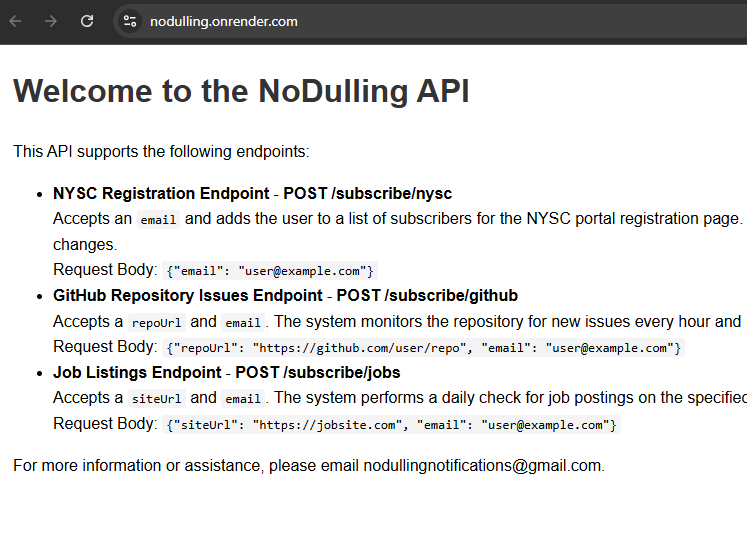
Remember, this was my submission for a hackathon, and the main requirement was to use Wix Studio. I researched on a couple of options (this site is a goldmine for developers: https://free-for.dev/#/?id=web-hosting) and settled on Render because ChatGPT recommended it as the best fit for my needs. It supports both API hosting and background tasks, allowing me to set up scheduled workers. I deployed the app at https://nodulling.onrender.com, but as expected the site would go to sleep after 15 minutes of inactivity.
I moved forward with designing my site layout on Wix Studio. Initially, I planned to use built-in forms to send the data, but they were configured for their CMS. I created custom input fields and subscribe buttons instead, which, when clicked, sent requests to the POST endpoints. My vision was simple: a one-page site with subscription buttons, inspired by online video downloader sites.
Given Wix Studio’s structure, I divided the code into frontend and backend code.
Here’s a snippet of the frontend code:
import { subscribeNYSC, subscribeGitHubRepo, subscribeJobSite } from "backend/dataFetcher.web";  // Import the backend method

$w.onReady(function () {
    // Show the modal on page load
    $w("#disclaimerModal").show();

    // Close modal when the user clicks the button
    $w("#closeButton").onClick(() => {
        $w("#disclaimerModal").hide();
    });

    // Email validation function
    function isValidEmail(email) {
        const emailRegex = /^[^\s@]+@[^\s@]+\.[^\s@]+$/;
        return emailRegex.test(email);
    }

    $w("#nyscSubscribeBtn").onClick(() => {
        const email = $w("#nyscEmail").value;  // Get the email from the input

        if (!email || !isValidEmail(email)) {
            // Handle case where the email input is empty
            $w("#errorMessage").text = "Please enter a valid email.";
            $w("#errorMessage").show(); // Show the error message
            return;
        }

        // Call the backend method to subscribe to NYSC
        subscribeNYSC(email)
            .then((response) => {
                // Handle success
                console.log("Successfully subscribed:", response);
                $w("#successMessage").text = "You have successfully subscribed to NYSC tracking!";
                $w("#successMessage").show(); // Show the success message
                $w("#errorMessage").hide(); // Hide any previous error messages
            })
            .catch((error) => {
                // Handle error
                console.error("Error subscribing:", error);
                $w("#errorMessage").text = "Failed to subscribe. Please try again later.";
                $w("#errorMessage").show(); // Show the error message
                $w("#successMessage").hide(); // Hide any previous success messages
            });
    });
Snippet of the backend code in data.web.js:
import { Permissions, webMethod } from "wix-web-module";
import { fetch } from "wix-fetch";

// POST request for subscribing to NYSC tracking
export const subscribeNYSC = webMethod(Permissions.Anyone, async (email) => {
    const fetchOptions = {
        method: "post",
        headers: {
            "Content-Type": "application/json"
        },
        body: JSON.stringify({ email})
    };

    const response = await fetch("https://nodulling.onrender.com/subscribe/nysc", fetchOptions);
    if (response.ok) {
        const data = await response.json();
        return data;  // Return success message or tracking info
    } else {
        const error = await response.json();
        throw new Error(error.message || "Failed to subscribe to NYSC tracking.");
    }
});
I created corresponding IDs for the elements, and they worked. However, the email validation initially failed; even invalid emails triggered a success message. I added validation in the Wix code and in the API code to ensure proper functionality.
Sometimes I’m so dumb
Guess what? My project centered on sending emails out but I totally forgot about an unsubscribe feature. Another problem was that the new email I created just for this app and the email-sending-logic worked fine, that is `nodemailer` successfully sent emails but they end up in spam most times than not, so I had to mark them as not spam manually and also display a note in my site telling users to check their spam if needed. Anyways I searched up advice on ‘how to make your emails not end up in spam’, and one tip was to include an unsubscribe link. That was my ‘Oh shit’ moment.
I added another endpoint for unsubscribing in the API. The /unsubscribe endpoint worked fine in Postman, but errors arose when integrated into Wix Studio. It required two parameters: the type of subscription and the email. I used a logic like:
import wixLocationFrontend from 'wix-location-frontend';
import { unsubscribeUser } from "backend/dataFetcher.web";

// Get the 'type' query parameter from the URL
const type = wixLocationFrontend.query.type;

$w.onReady(function () {
    // Show the relevant section based on the type parameter
    switch (type) {
        case 'nysc':
            $w('#nysc-unsubscribe').show();
            break;
        case 'github':
            $w('#github-unsubscribe').show();
            break;
        case 'job_site':
            $w('#jobs-unsubscribe').show();
            break;
        default:
            console.log("Invalid or missing 'type' parameter");
    }
This meant the unsubscribe page would only be accessible from the emails sent, as the type and email could then be automatically populated—which worked perfectly for the use case.
That wrapped up day three of working on the project.
Final Lap!
The next day, I decided to tackle the issue of cron jobs not running because the server would sleep when inactive. I explored alternative hosting solutions like Serv00, which seemed to offer a more generous free tier compared to Render. However, setting it up proved complicated and cumbersome, so I set that idea aside. Next, I researched other options like cron-job.org, an open-source cron job service, but it came with limitations. Plus, I worried about Render potentially flagging or restricting my account due to excessive requests.
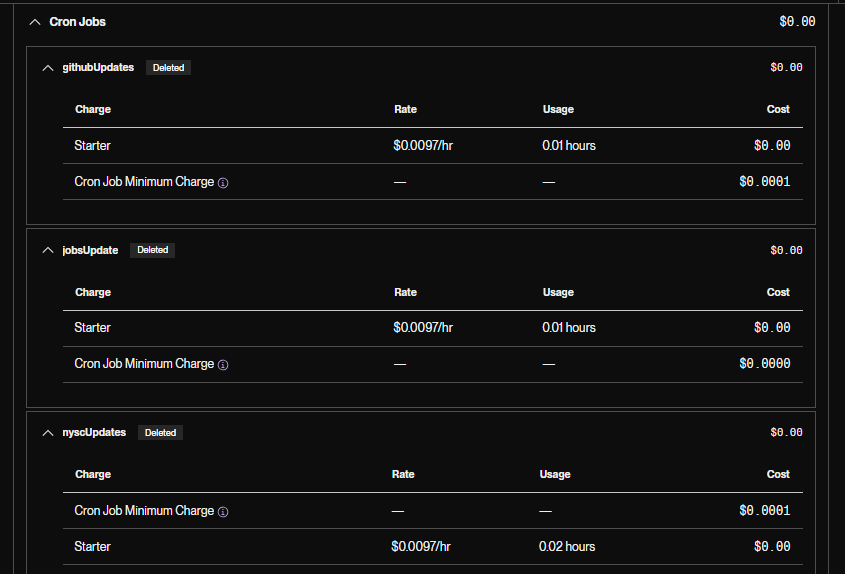
This dilemma led to some internal debate. I was initially determined not to spend money on this project, mainly because I was on a tight budget. However, Render's cron job service began to tempt me—it was incredibly cheap, costing around $0.00016 per minute. Eventually, I caved and signed up, since the minimum monthly spend was only $1. After committing and deploying the latest version without cron jobs embedded in app.js, I created three separate cron jobs for checking NYSC registration, GitHub issues, and job listings.
Everything seemed to be going smoothly until I realized I had misinterpreted Render's billing model. I thought the cost would only accrue when the jobs ran, based on the intervals I set (like every 9 minutes for NYSC updates). Instead, the projected cost shot up as soon as I deployed, climbing from $1.64 to $2.64 within minutes, even though the jobs hadn't yet executed.
Needless to say, I quickly suspended and deleted the jobs. Thankfully, the final billing wasn't much, but it could have spiraled to $5 or even $10 if left unchecked. Given my limited budget and the hackathon's looming deadline, I had to adapt.
At this point, (further reiterating that sometimes I am quite dumb), I came to a simple realization: I could host the API but run the cron jobs on my local machine instead. It felt embarrassingly obvious in hindsight. Although I couldn't remove the payment method without deleting my Render account, the minimal billing seemed manageable.
So, my new plan was to publish the Wix site, which would send POST requests to the hosted API, while I kept the cron jobs running locally on my laptop. This setup meant leaving my laptop on until the hackathon deadline at 11:59 PM on November 7th, with judging the next day at 6 PM.
I did have to create a demo though.
It works!
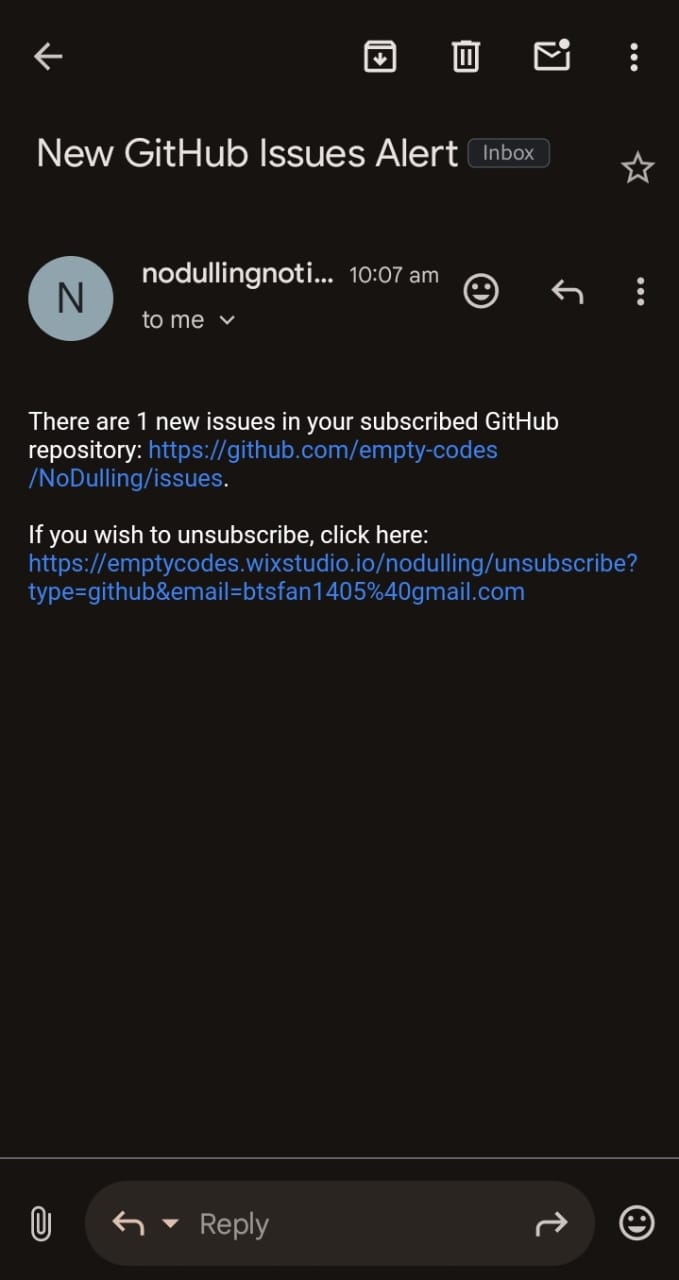
Armed with my unused Postman account and trusty Netlify setup, I created test sites for NYSC and job listings, and generated test issues on the GitHub repo. Since I was using the HTML structure to track updates, I inspected and copied page elements to create realistic test conditions. For the NYSC test site, I could easily modify text from "No Active Registration" to a "Mobilization batch…" message. Similarly, I adjusted elements on company sites to test job counting and monitoring logic, ensuring the email-sending functionality worked as expected.
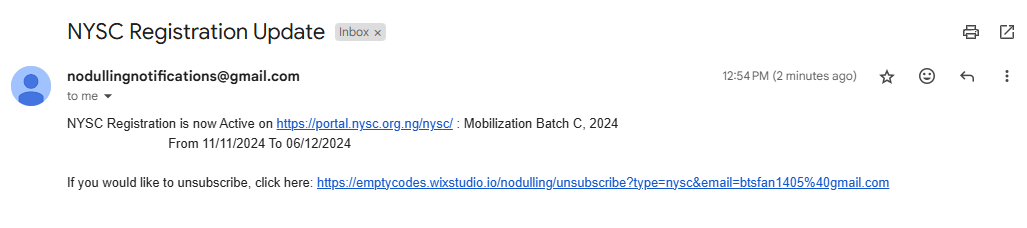
- Here is a picture of one of the GitHub notification emails on mobile view:
Testing the NYSC endpoint:
- Subscription from the site:
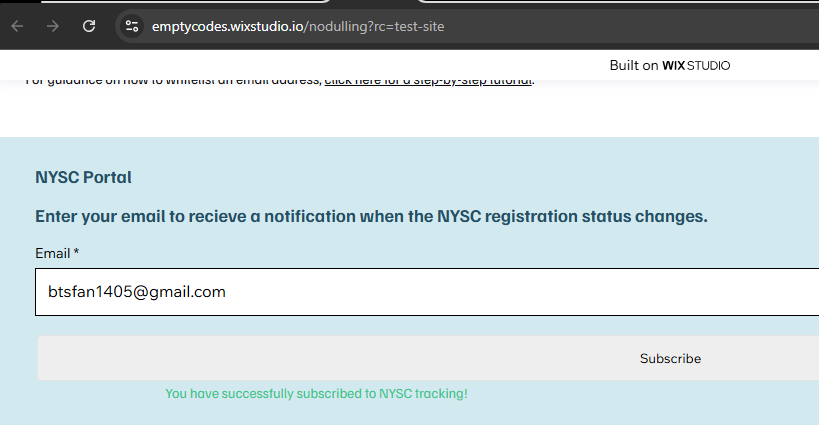
- Created entry in the database:

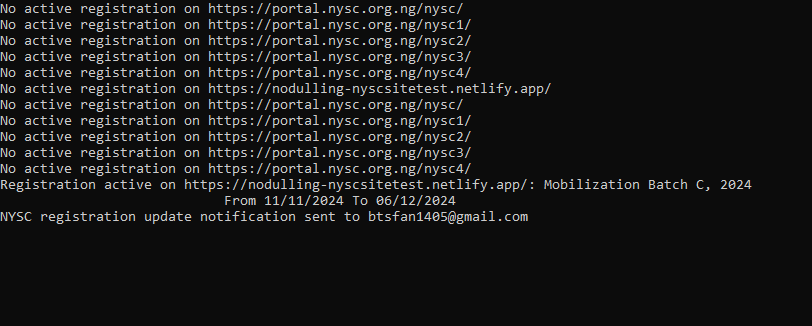
- Cron jobs running locally:
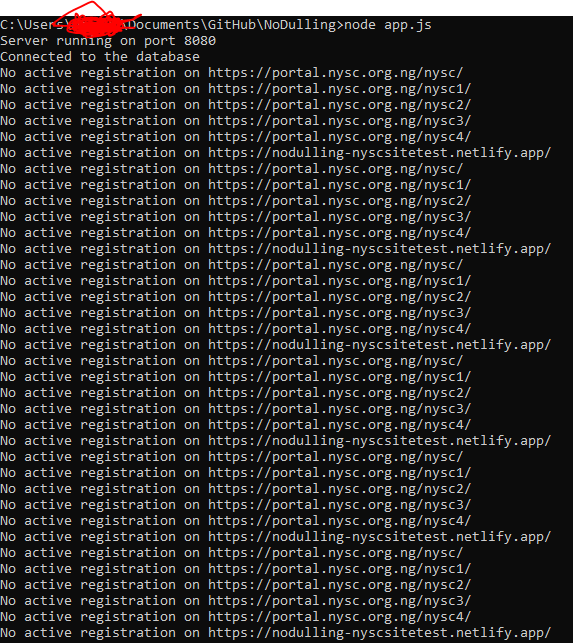
Before and after updating my NYSC test site (switched between deploys manually on Netlify):
Before:
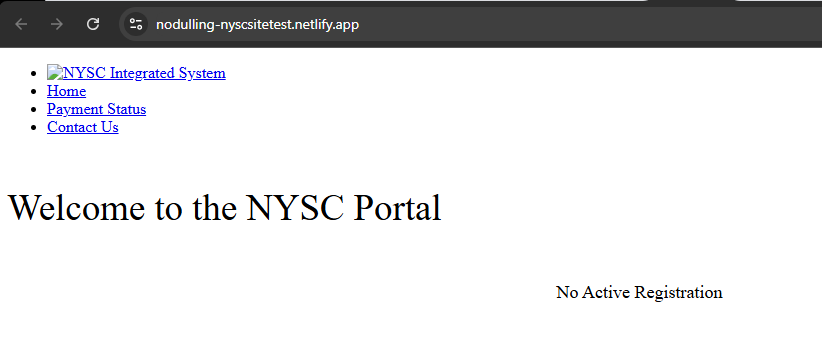
- After:
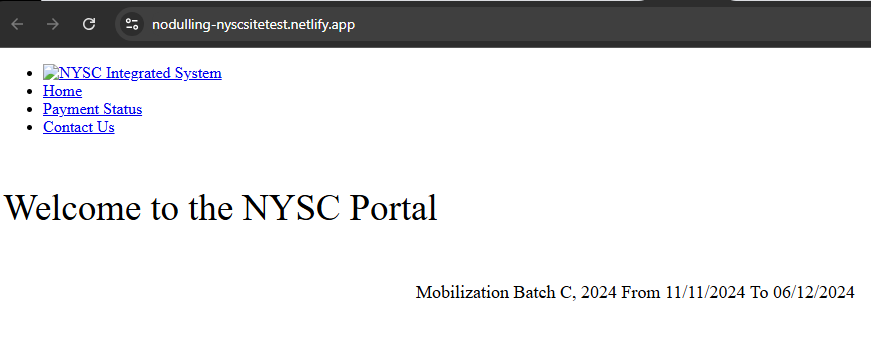
Thankfully, everything behaved as expected, with updates triggered when checkNYSCRegistrationPage() ran every 9 minutes.
Conclusion
This was my first foray into Node.js, Wix Studio, Render, and CockroachDB. The journey was rocky but rewarding, especially because bringing a long-imagined idea to life felt incredible. There are definitely areas for improvement, particularly the Wix Studio front end (I'm more backend-focused, despite claiming full-stack status).
Today is November 6th, and I'll wrap up the app and create a demo. I have other looming deadlines I’ve been procrastinating on. Would I use Wix Studio again? Definitely, but next time, I’ll watch a tutorial first. I’m also eager to explore its built-in CMS features.
Do I hope to win the hackathon? Absolutely! It's my first hackathon, and even if I don't win, I’m leaving more knowledgeable and experienced. Plus, this project will look great on my resume.
And that’s a wrap! If you read this to the end, thank you for sticking through my ramblings. Wishing everyone productive days ahead!
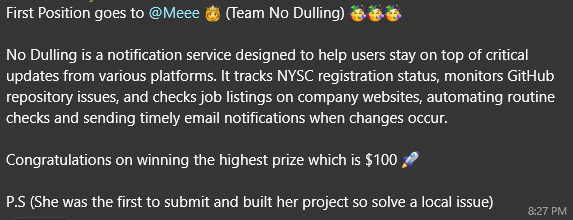
Update: The hackathon deadline was extended to 11th November due to national grid problems. I had already finished and submitted so all I had to do was wait and guess what — I won first place!